
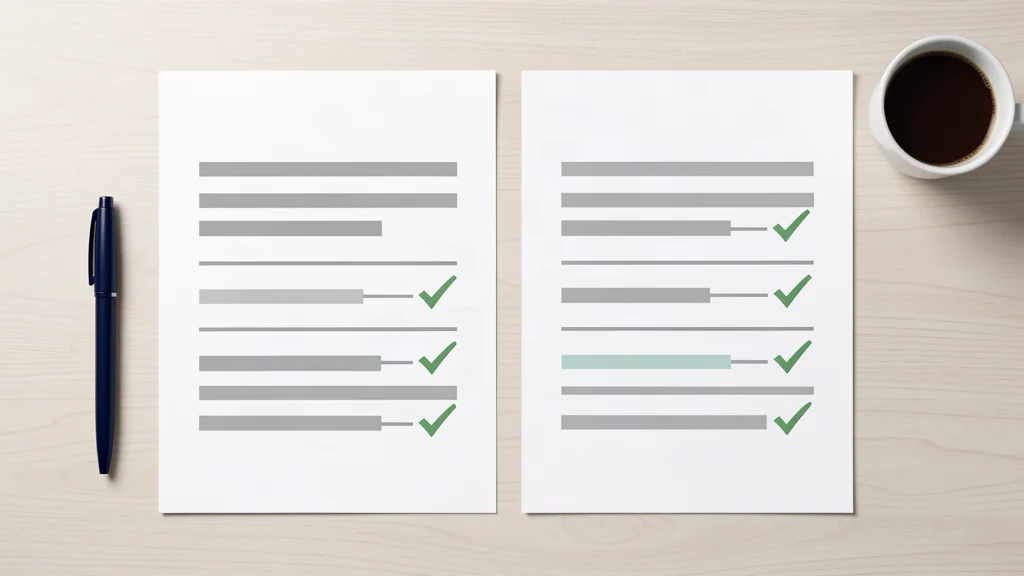
Bank reconciliation means checking your books against your bank statement line by line. You tick off the items that match on both sides. Anything left over is usually a timing gap or a mistake.
It catches the errors that are easy to miss elsewhere. A duplicate payment shows up here. So does a sale you never recorded or a cost coded to the wrong account.
This guide walks through the process, the usual reasons the figures do not agree, and what to do when they still do not balance.
Quick answer
Bank reconciliation compares your bookkeeping records with your bank statement for the same period. Every transaction should appear on both. If something does not match, it is either still in transit or entered wrongly. Most small businesses do this monthly, and software handles a lot of the matching for you.
What is bank reconciliation?
Bank reconciliation is the check that your books agree with your bank. You compare what you recorded against the statement, line by line. Matching items get ticked off. The rest need an explanation. By the end, both balances should agree.
Two records cover the same money. One is yours, built from invoices, receipts and journal entries. The other is the bank’s, built from cleared payments.
They should tell the same story. Often they do not, and the reason is usually ordinary.
Recording the transactions in the first place is the basics of bookkeeping. Reconciliation is the check that sits on top and shows whether the records still line up.
Companies have a legal reason to care. GOV.UK expects records of all money received and spent. If your books do not agree with the bank, they are not a reliable record of what happened.
How does the bank reconciliation process work?
Start with the closing balance on your bank statement. Match every statement line against your books. Tick the items that agree. List the ones that do not. Add anything the bank knows about that you have not recorded. Then compare the closing balances again.
Here is the process in order:
- Pick a period. A calendar month is standard for most businesses. Use the statement dates, not whichever dates are convenient.
- Get both records. Pull your ledger for that month and the bank statement for the same days.
- Check the opening balance. It should match last month’s closing balance. If it does not, fix that first.
- Match line by line. Compare the date, amount and direction of each item.
- List the leftovers. Separate timing items from real errors.
- Post the missing entries. Add bank charges, interest and direct debits you never entered.
- Compare the closing balances. If they still do not agree, go back and check the earlier steps.
Most people skip the opening balance check. That is the mistake that sends them round in circles.
Why do the two sides disagree?
There are two broad reasons, and they need different treatment. Timing differences are real transactions that have not cleared yet, like an uncashed cheque. Errors are mistakes in one record, like a duplicate entry or a typo. Timing differences clear on their own. Errors do not.
Timing differences
- cheques you have issued that nobody has banked yet
- deposits paid in near month end that clear after it
- card payments taken today and settled in two days
- standing orders dated on a weekend
None of these needs a correction. They usually clear the following month and match then.
Errors
- the same invoice entered twice
- a payment coded to the wrong supplier
- transposed digits, like £54 entered as £45
- bank charges and interest never recorded
- a direct debit you forgot about
These need a posting or a correction. If you leave them alone, they roll forward and become harder to untangle.
How do you fix an account that will not balance?
Work through the simple checks first. Date range, opening balance, duplicates, unpresented items, bank-side entries, then transposition. If the difference divides exactly by 9, look for swapped digits. A transposition always changes the figure by a multiple of 9.
The order matters because each step removes a whole class of cause.
- Date range. Is your ledger period the same as the statement period? Being off by one day is a common cause.
- Opening balance. Does it match last month’s close? If not, the error will repeat every month until you fix it.
- Duplicates. Sort your ledger by amount. Matching amounts on nearby dates are the giveaway.
- Unpresented items. Old uncashed cheques can sit for months. List anything over 60 days old.
- Bank-side entries. Charges, interest, card fees and returned payments live on the statement, not in your books.
- Transposition. Divide the difference by 9. A whole number usually means two digits were swapped.
If the difference is exactly twice a transaction, you probably posted it in the wrong direction.
How often should you do it?
Monthly is the standard for a small business. Weekly suits anyone taking daily card payments or cash. VAT registered businesses should match before every return. Yearly is too late if you want to fix problems cheaply.
Frequency follows volume. A consultant with 20 lines a month can do it in ten minutes. A shop with daily takings needs it more often, because cash businesses drift faster and the trail gets messier later.
VAT adds a hard deadline. GOV.UK sets out the rules on keeping VAT records. Your VAT figures come from the same ledger, so an unmatched ledger can feed the wrong numbers straight into the return.
We explain how to manage limited company accounts month by month.
Does software do it for you?
Mostly. Cloud accounting software pulls in your bank feed and suggests a match for each line. You approve it or change it. Software cannot spot a sale you never invoiced, and it will not catch an auto-match rule that keeps coding to the wrong supplier for months.
Bank feeds removed the typing. They did not remove the judgement.
Auto-match rules are the main trap. A rule set once will keep firing, whether it is right or not. Check your rules every few months.
The other trap is bulk approval. Accepting 200 suggested matches without reading them is not reconciliation.
We run cloud bookkeeping services inside the same software. The difference is that someone reads the exceptions.
What happens if you never do it?
Errors build up. Your profit figure goes wrong, then your tax figure goes wrong too. VAT returns filed from unmatched books can miss the mark in both directions. If you lose track as a sole trader, you may end up filing estimated figures and then flagging them on the return.
Wrong profit is the quiet cost. You price jobs and take drawings from a number that is not real.
Missing records are the louder problem. GOV.UK explains how long to keep your records and what to do if they are missing. You may need to file estimated or provisional figures, and you have to flag them.
Neither problem is expensive to prevent. Both are expensive to fix at year end.
Getting it done each month
Put it in the diary on a fixed day. The first working day after the statement date usually works well.
Keep the exceptions list from month to month. If the same item turns up three times, it is probably a rule problem, not a transaction problem.
DASA’s cloud bookkeeping service does the monthly matching. We read the exceptions instead of bulk approving them. Tell us which bank accounts and cards you use. Get a quote and we’ll send you our current pricing.
This article gives general information about bank reconciliation for UK businesses. It is not financial, tax or legal advice. Every business is different. Speak to a qualified accountant about your own situation.
Frequently asked questions
What is bank reconciliation?
Bank reconciliation is the check that your books agree with your bank. You compare recorded transactions against the statement line by line. Matched items are ticked. Unmatched items need an explanation. Both sides should end on the same closing balance.
How do you do a bank reconciliation?
Pick a period and get both records. Check the opening balance matches last month’s close. Match every line by date, amount and direction. List the leftovers. Post any bank charges or interest you missed. Then compare closing balances.
Why doesn’t my bank reconciliation balance?
Usually it is either a timing difference or an error. Uncashed cheques and late clearing deposits resolve themselves. Duplicates, wrong codings and unrecorded bank charges do not. If the difference divides exactly by 9, two digits may have been transposed.
How often should you do a bank reconciliation?
Monthly is standard for a small business. Weekly suits anyone taking daily card or cash payments. VAT registered businesses should match before every return, because the VAT figures come from the same ledger.
Does accounting software do bank reconciliation for you?
Mostly. Cloud software imports your bank feed and suggests a match for each line. You approve or change it. Software cannot spot a sale you never invoiced. It will not catch an auto-match rule coding to the wrong supplier.